
[Linking to already created DB 1] Database share settings
Updated
Upgrade to the Z Plan is required (if you already subscribe to the Pro Plan or Premium Plan, you can keep using it) to connect to the same database from multiple devices such as iPhone, iPad, etc. Click here for details on plans.
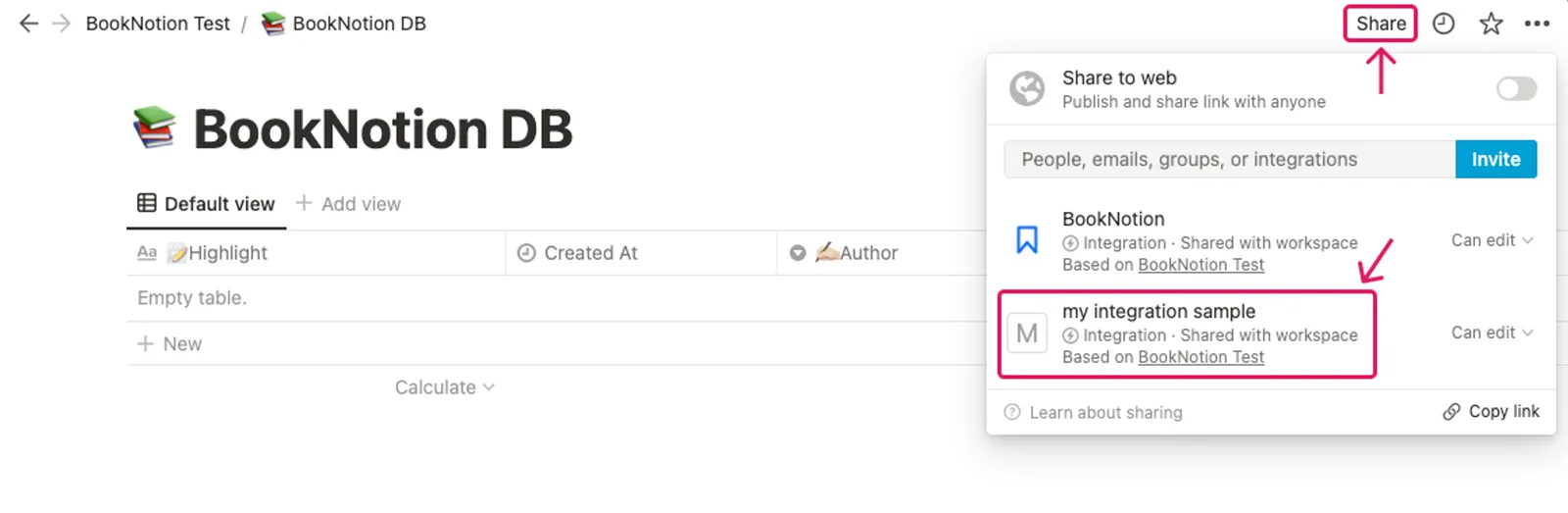
Authorize the target database automatically created by BookNotion with the integration created in "[Notion Integration Setup 1] Getting and setting up integrations".
You can add permissions from the Share button in the upper right corner of the Notion page.
If you have not changed the integration permissions, moved the database, etc., after automatically creating the database with BookNotion, the integration should already be set up.
Once you have finished setting up your database share, proceed to obtaining and setting up your database ID.