
[Notion Integration Setup 1] Getting and setting up integrations
Updated
PC or tablet is required as the integration acquisition screen is not compatible with smartphones
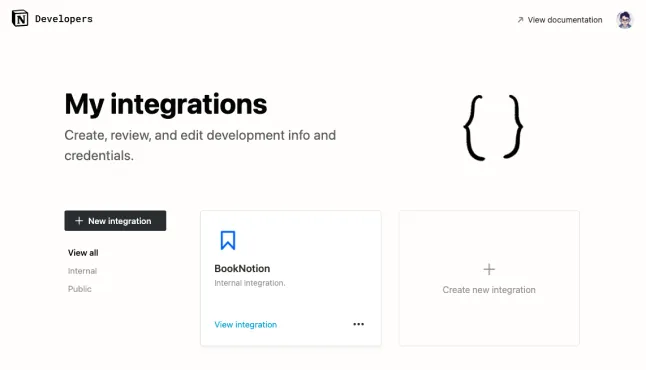
First, access https://www.notion.so/my-integrations on your PC or tablet browser (Safari, Chrome, etc.) and click the New integration button.
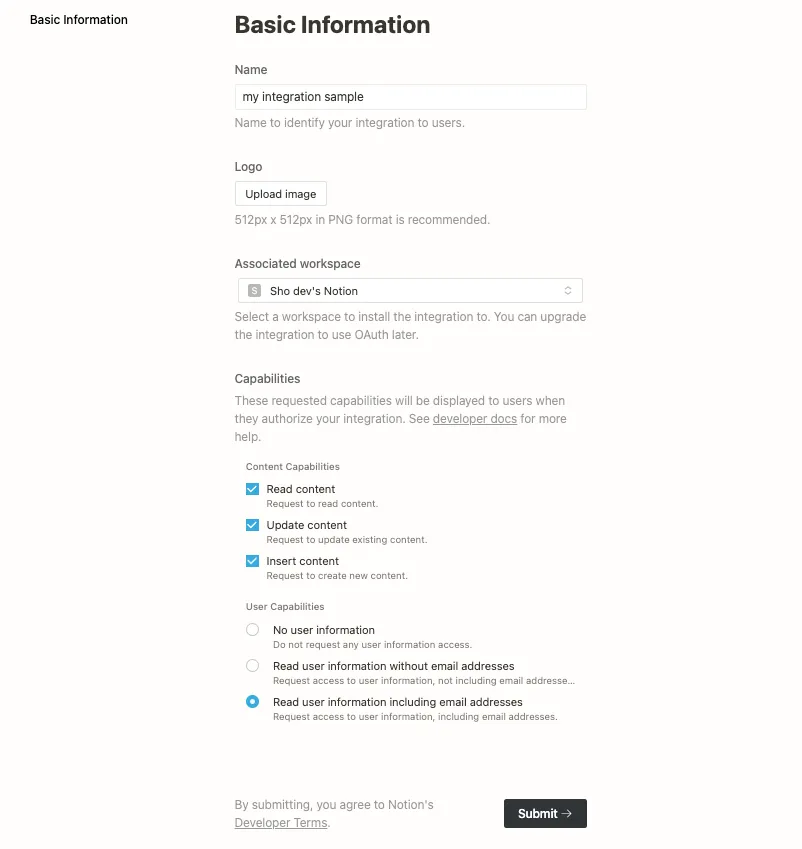
Set the Name, Associated workspace, and Capabilities as shown in the screenshot, and submit.
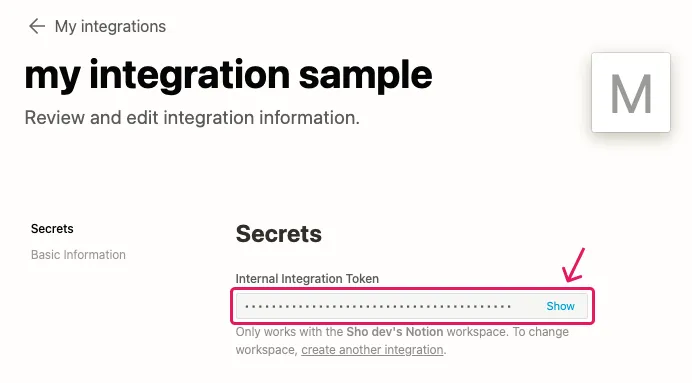
Once the Integration is created, an integration token can be obtained from Secrets.
Enter the integration token (alphanumeric characters starting with "secret_") obtained here into BookNotion.
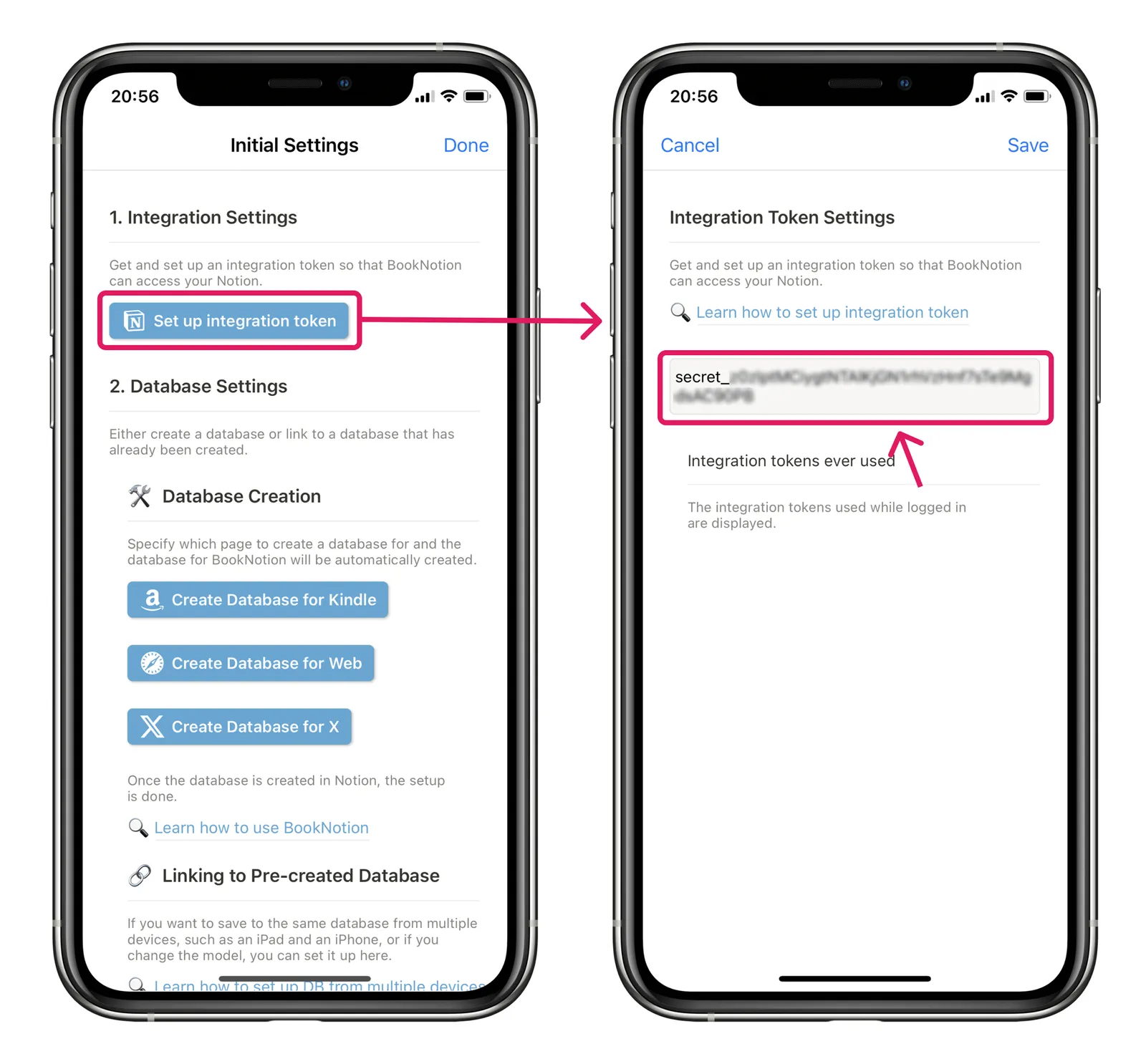
Once the integration tokens have been set up, the next step is to set up the page share settings.